 Ringol
Ringol FAQ: ads, offline play, saves, devices, privacy
Short answers to the questions people ask most about Ringol. If yours isn't here, the support page has the contact address, and the other guides cover the rules of each mode.
Is Ringol free?
Yes. Ringol is free to play on Google Play, the App Store and the web at ringol.app/play. It is paid for by ads. There is nothing to buy inside the game: all three modes are open from the start, and all 12 ring materials are open to everyone, with nothing to unlock. The ring materials guide shows them all.
Ads
When do ads show?
Never while you are playing a level or a game. A full-screen ad can only come at a break:
- in Ring by ring, after you tap Next on the win banner;
- in Ring Chains, after you tap Next level;
- in Full box, after you tap Again on the game-over card.
Even then most breaks have no ad:
- Ring by ring shows none in your first session and none before you have finished 5 levels, then at most one every 3 levels.
- Ring Chains shows none before you have won 5 of its levels, then at most one every 3 won levels, and only after at least 90 seconds of play since the last one.
- Full box shows none before you have finished 3 games and played about 4 minutes. After that, an ad needs two game overs, or one long game of about 5 minutes, since the last one.
Across the whole game there are at least two minutes between two full-screen ads, at most 3 in your very first session, 6 in a session and 20 in a day. There is also no ad on the tap right after you shared a result, watched a rewarded video or were asked to rate the game.
Do I have to watch videos?
No. Rewarded videos are offers, and only you start them:
- Full box: on the game-over card you can watch a video to Continue the same game.
- Ring Chains: when you have no hints left, you can watch a video for one hint, at most three times per level. You start with 3 hints and earn one more for every 10 levels you win.
If no video is ready, nothing is forced on you: in Full box the offer says "No ad right now", in Ring Chains the Hint key says "No hints right now", and you simply carry on. Ring by ring has no rewarded offers at all.
Can I play offline?
Yes, in the apps. The game itself doesn't need a connection. Only ads and analytics do, so offline you just play without them.
The web version is different: your browser has to download the game first, about 16 MB the first time you open ringol.app/play.
Is my progress saved?
Yes, automatically. A won level, a best score, your settings, the hints you have left: all of it is saved as you play. There is no account and no sign-in. Where it lives depends on where you play:
- Phone apps: on your device. Deleting the game or clearing its data removes your progress.
- ringol.app/play: in that browser. A private window, or clearing the site's data, starts you over.
- Game portals: on CrazyGames and Yandex Games the game also saves to the portal, so progress can follow your account there.
Progress does not move between your phone and a browser, or between two phones. Each place keeps its own.
Which languages does it support?
20: English, Arabic, Armenian, Chinese (Simplified and Traditional), French, German, Hindi, Indonesian, Italian, Japanese, Korean, Polish, Portuguese (Brazil), Russian, Spanish, Thai, Turkish, Ukrainian and Vietnamese. The game starts in your device's language when it has it. To change it, use the Language key in the settings row on the home screen.
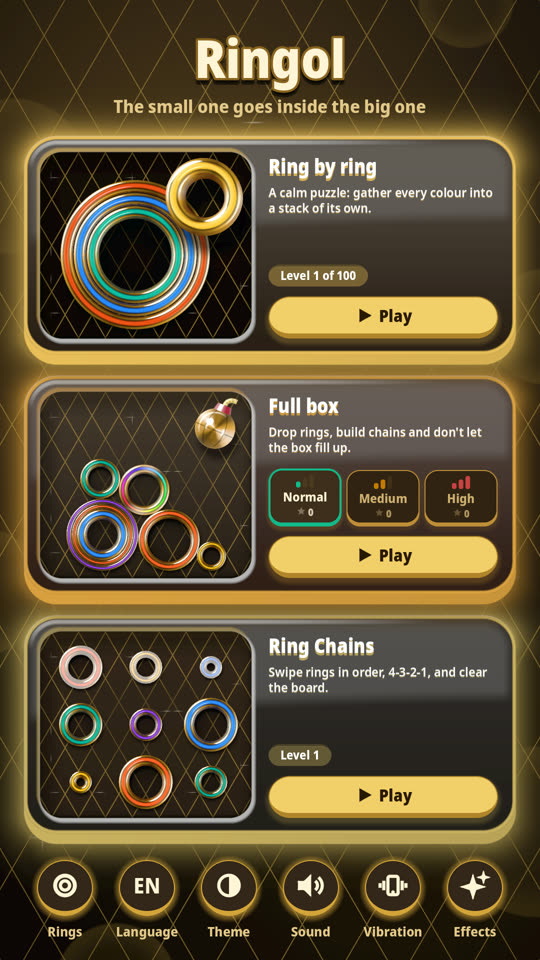
Which devices can run it?
- Android: version 7.0 or newer, from Google Play.
- iPhone: iOS 15 or newer, from the App Store.
- Browser: a browser with WebGL 2, which means current Chrome, Edge, Firefox or Safari, on a phone or a computer. On a wide screen in landscape the web game uses a wider layout.
The apps are made for portrait and one hand.
Will it run on a weak or old phone?
It's built to. Ringol has four graphics levels and picks one by itself, so there is no setting to fiddle with. On first launch it measures how smoothly the home screen draws and steps down if frames come too slowly. A phone that looks weak starts on a lower level straight away. While you play, it keeps watching and steps down again if the game starts to stutter. The choice is saved. If the phone later runs comfortably for a while, the game quietly tries one level higher and keeps it only if it stays smooth.
The lower levels give up small things: the slow drifting light in the backgrounds stops, edges are smoothed less or not at all, and on the lowest level the rings lose their moving glint and the little games on the home cards stand still. The rules and the physics are the same on every level.
If something still bothers you, sound, vibration and visual effects can each be turned off in the settings row.
What about privacy?
Ads and analytics run with your consent. Where the law requires it, the game asks first. To review them, tap Privacy in the settings row on the home screen. Where your region requires it, that screen has Privacy choices, where you can change or withdraw your consent. It also has Delete my data, which resets your analytics data, and shows your analytics ID. Your game progress is not part of this: it stays on your device, or in your portal account on CrazyGames and Yandex Games. The full text is in the privacy policy.
How do I contact you?
Ringol is made by one independent developer in Armenia. The address is on the support page. Questions, ideas and complaints are all welcome, in English, Armenian or Russian.
How do I report a bug?
Write to the address on the support page. A useful report says:
- your phone model, or your browser and computer for the web game;
- the system version (Android or iOS);
- the mode and, for Ring by ring or Ring Chains, the level number;
- what you did just before the problem, and what you expected instead.
A screenshot helps a lot, especially for things that look wrong. If the web game doesn't start at all, reload the page once first. If it still fails, mention which browser you use.
More guides
New here? Start with how to play Ringol. For the physics mode, see Full box bonuses. To learn why the game has no timers, read puzzles and calm.
More guides
- How to play Ringol: a guide for new playersLearn Ringol in a few minutes: the one rule about rings, the three modes, tap and drag controls, free undo, saved progress, themes and the 20 languages.
- Ring by ring: rules, levels and starsThe rules of Ringol's Ring by ring mode: how a move works, when a level is solved, the 100 levels, moves, stars, Undo, Restart and how the puzzles grow.
- Ring by ring: strategy tips for hard levelsConcrete techniques for Ringol's Ring by ring puzzles: use empty places, plan the biggest ring, avoid burying a colour, count moves and think backwards.
- Full box: how the physics mode of Ringol worksA clear guide to Full box in Ringol: dropping rings, building chains from large to small, the score multiplier, precise drops, the danger line and difficulties.
- Full box bonuses: bomb, joker, vortex and scoring tipsHow Full box bonuses in Ringol work: what earns the bomb, joker and vortex, how to use each one, and how precise drops at x5 lift your score.
- Ring Chains guide: rules, chapters, hints and tipsHow Ring Chains in Ringol works: swipe sets like 4-3-2-1 through neighbouring wells, clear the board, avoid traps, use Undo and hints, and read the chapters.
- The 12 Ring Materials in Ringol: Looks, Sounds, BurstsAll 12 Ringol ring materials, from Classic to Gold: how each one looks, moves, sounds and bursts, the world it brings, and how to switch. All free, none locked.
- Calm Puzzles for Short Breaks: How Ringol Is BuiltWhy a calm puzzle suits a short break, and the design choices behind Ringol: no timers or lives, free undo, short levels, quiet settings and reduced motion.
- Making Ringol: A Solo Devlog from ArmeniaHow one developer in Armenia made Ringol: from a small-ring-in-a-big-ring idea and web prototypes to Godot, three modes, 12 materials and 20 languages.